Rosply
v1.0 · Windows PC Automation Agent

Your AI agentthat runsyour entire PC

Type a task like Open Chrome and check my emails and watch Rosply handle every click, type, and scroll.

No scripts. Just plain English.

Get RosplyRead the docs

Windows 10/11 · Linux supported · macOS: not tested · Python 3.11+ required.

rosply · task running● live
> Download all invoices from the portal
Navigating to billing portal…
SCROLL
Open Chrome and navigate to any pageFill job application formsDownload invoices automaticallyReply to emails with contextRun npm install across projectsRename and organize filesScrape data from websitesControl VS Code editorAutomate Excel spreadsheetsSubmit web formsMonitor page changesBatch-process any workflowOpen Chrome and navigate to any pageFill job application formsDownload invoices automaticallyReply to emails with contextRun npm install across projectsRename and organize filesScrape data from websitesControl VS Code editorAutomate Excel spreadsheetsSubmit web formsMonitor page changesBatch-process any workflow
Scrape data from websitesControl VS Code editorAutomate Excel spreadsheetsSubmit web formsMonitor page changesBatch-process any workflowOpen Chrome and navigate to any pageFill job application formsDownload invoices automaticallyReply to emails with contextRun npm install across projectsRename and organize filesScrape data from websitesControl VS Code editorAutomate Excel spreadsheetsSubmit web formsMonitor page changesBatch-process any workflowOpen Chrome and navigate to any pageFill job application formsDownload invoices automaticallyReply to emails with contextRun npm install across projectsRename and organize files
//Features

Everything your PC can do, on autopilot

No scripts. No brittle selectors. Rosply understands your screen and acts on it.

01

Vision-Powered

Rosply takes a screenshot every step and sends it to the AI. It reads dialogs, popups, and dynamic UI just like you would. No DOM access needed.

02

Full Desktop Control

Click, double-click, right-click, drag, type, scroll, hotkeys. Every native input your OS supports. Works even on apps with no API.

03

VS Code Code Generation

Ask Rosply to scaffold a project and it will write every file. The built-in extension routes your prompt to DeepSeek V3 via OpenRouter.

Writes files directly in VS Code
04

Voice Control

Say "Hey Rosply" and dictate your task. Whisper runs locally so the wake word works offline. No hotkey, no app focus needed.

05

Persistent Memory

Values persist between task steps. Read an invoice number on one page, paste it into a form on another. Memory survives across runs.

06

Emergency Stop

Ctrl+H kills the agent mid-step, no confirmation. Each run is also capped at 200 actions so runaway loops cannot happen.

Ctrl+H · instant kill
Works with
OpenRouterDefault provider
Qwen VLDefault model
Claude CodeMCP integration
VS CodeCode generation
Local modelsOllama / LM Studio
Any vision APIGemini · GPT-4o · more
//How It Works

Up and running in minutes

One script handles everything. Rosply is designed to work out of the box.

01

Install Rosply

Run setup.bat. Python environment, Whisper model, and the VS Code extension are all configured automatically.

02

Add your API key

Create a free account at openrouter.ai, copy your key, and paste it into .env. The free tier is enough to start.

03

Type your task

Open Rosply, describe what you want done in plain English, and press Enter. The agent handles every step.

04

Watch it work

Rosply captures your screen, reasons through the task, and executes each action. Ctrl+H stops it instantly.

//Claude Code Integration

Control your PC from Claude Code

Register Rosply as a global MCP server. Works with OpenRouter, any vision-capable provider, local models, or Claude Code directly. Default model is Qwen VL from OpenRouter.

claude (claude-sonnet-4-6) · rosply-agent MCP active● MCP
──Claude Code v2.1.173
Welcome back!
▐▛███▜▌
▝▜█████▛▘
▐▌   ▐▌
Sonnet 4.6 · Claude Pro
C:\Users\user
Tips for getting started
Run /init to create a CLAUDE.md file with instructions for Claude to follow in this directory.
Note: You have launched claude in your home directory. Navigate to a project directory for best results.
What's new
Fixed Fable 5 model names with a [1m] suffix not being normalized correctly.
Sub-agents can now spawn their own sub-agents (up to 5 levels deep).
/release-notes for more
1 setup issue: MCP · /doctor
Meet Fable 5, our newest model for complex, long-running work. Try anytime with /model.
Included in your plan limits until Jun 22, then switch to usage credits to continue.
>Try "open Chrome and check my emails"
▶▶ bypass permissions on (shift+tab to cycle) · ← for agents high · /effort
STEP 1
Run setup.bat
Sets up the Python environment, downloads Whisper model, and installs the VS Code extension. Takes ~4 minutes on first run.
STEP 2
Run claude-setup.bat
Registers Rosply as a global MCP server in Claude Code. Completes in about 10 seconds.
STEP 3
Install the plugin
/plugin marketplace add harkixsha/rosply-agent-plugin
STEP 4
Give a command
Type any task in plain English. Claude Code routes it to your Windows PC via Rosply.
//Use Cases

What can you automate today?

From web browsing to file management, voice commands to code generation. Rosply handles it all.

Browser Automation

Navigate and interact with any website

Rosply reads the live page like a human: clicks buttons, fills forms, scrolls, and handles dynamic content without fragile selectors.

Code Gen

VS Code code generation

Built-in extension calls DeepSeek V3 and writes entire files directly.

Voice

Wake-word activation

Say "Hey Rosply" and dictate your task hands-free.

File Ops

Organize your file system

Move, rename, batch-process. Rosply handles repetitive file tasks natively.

Email

Read, compose, send

Works in Gmail, Outlook, or any email client open on your desktop.

Any Windows App

If it runs on Windows, Rosply controls it

Chrome, Excel, legacy enterprise portals, custom software. No plugin. No API. Just vision + action.

//See It In Action

Watch Rosply work

A real task from start to finish. No editing. No speed-up.

Demo video coming soon
Watch Rosply complete a real task from start to finish
rosply · download all invoices from portal● rec
//Pricing

One price. Full access.

No subscriptions. No seat limits. Pay once, keep forever.

Vision & Control
  • Screen vision AI, reads any app or website
  • Full mouse, keyboard & scroll control
  • Up to 200 actions per task
  • Emergency stop with Ctrl+H
Integrations
  • VS Code code generation extension
  • Claude Code MCP server integration
  • Voice wake-word activation
  • OpenRouter, any vision API, or local model
Ownership
  • Full source code included
  • All future updates
  • Your data stays on your machine
  • No subscriptions, no seat limits
One-time purchase
$29
pay once · keep forever
Buy on Gumroad
Secure checkout · Instant download
Windows 10/11 · Linux supported · macOS (untested)
Python 3.11+ required
//FAQ

Common questions, answered

Everything you need to know before getting started.

By default Rosply uses Qwen VL from OpenRouter. It is free-tier eligible and handles screenshots well. You can swap it in one line for Gemini Flash, GPT-4o, Claude Opus, or any local model that accepts images.

No. OpenRouter's free tier is enough to start. Most users run Rosply for days on the free quota before needing to add credits. You can also self-host a local vision model and run entirely offline.

Yes. Rosply captures your screen as a screenshot and uses a vision model to understand it, so it works the same way on Chrome, Excel, VS Code, SAP, or any custom internal tool. No DOM access required.

Only the screenshot of the active moment and the task text are sent to the vision model API. Nothing is stored remotely by Rosply. Your .env file and all configuration stays on your machine.

Press Ctrl+H at any moment. The agent halts immediately. You can also close the terminal window; the process ends cleanly.

Rosply supports Windows 10/11 (fully tested and recommended), Linux (supported), and macOS (supported but not tested in a production environment — use at your own risk). Core features like mouse, keyboard, and screenshot control work on all platforms. Some features are Windows-only: the VS Code extension installer, the voice wake-word module, and the claude-setup.bat script.

//Why Rosply

Built for developers who ship fast

Rosply does the repetitive work so you stay focused on what matters.

200+
Max actions per task
Free
OpenRouter tier works
10s
Setup time
Ctrl+H
Emergency stop

Vision, not brittle selectors

Rosply looks at screenshots like a human does. No DOM scraping, no XPath. If you can see it, Rosply can interact with it.

Works on any Windows app

Chrome, Excel, VS Code, legacy enterprise software. If it runs on Windows, Rosply can control it. No plugin needed.

Your data stays local

Only screenshots and task text go to OpenRouter. No telemetry. No accounts. Your .env file stays on your machine.

Model-agnostic

Swap the vision model in one line. Use Gemini Flash for speed, Qwen for free, or any OpenRouter vision model.

Stop clicking. Start delegating.

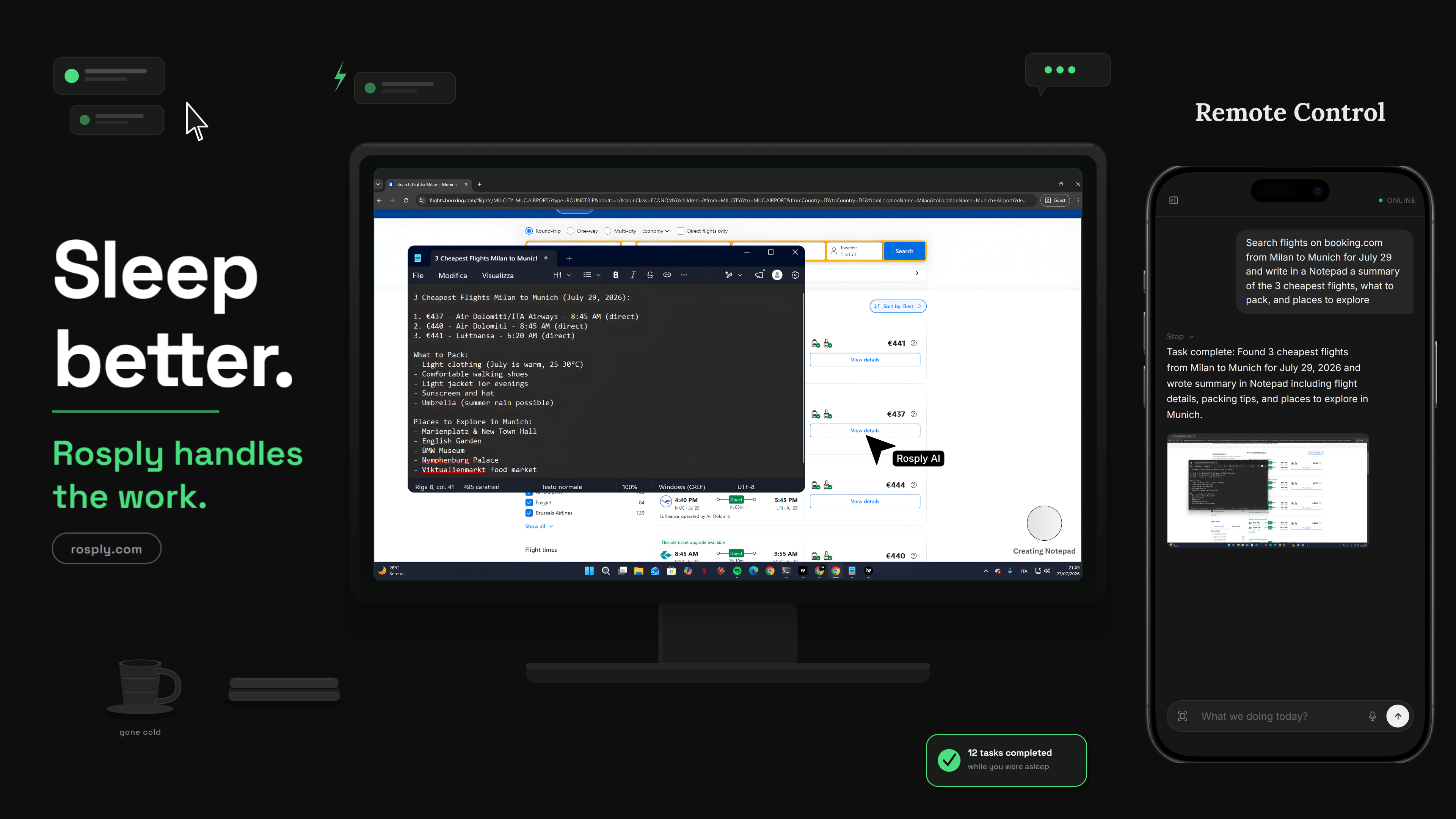
Sleep better. Rosply handles the work.

Rosply turns your PC into an AI-driven workstation. Your backlog just got shorter.

Get Rosply

Windows 10/11 · Linux supported · macOS not tested · One-time purchase.